

As VHS Tapes Age, Aiarty Video Enhancer Helps Bring Digitized Home Movies to Modern Screens
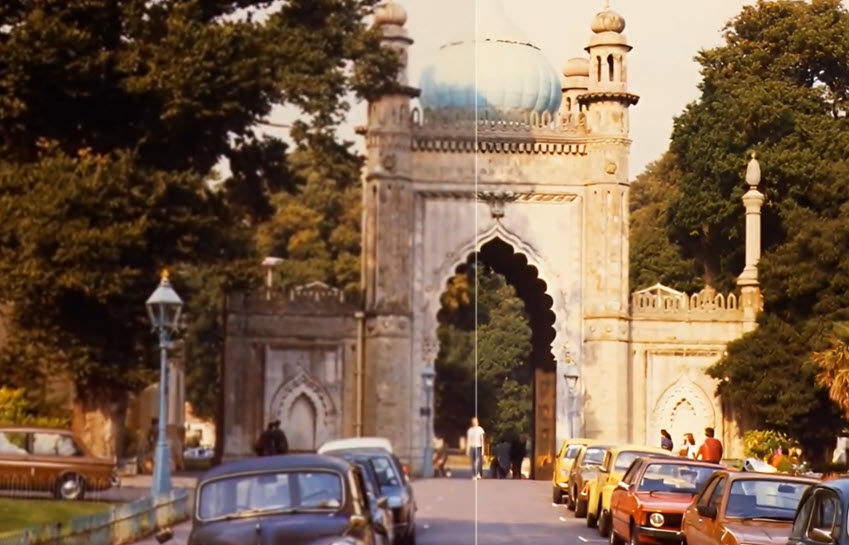
Aiarty Video Enhancer offers an AI-powered next step after VHS digitization, helping refine noisy footage, soft details, and low-resolution home videos.
CHENGDU, CHINA, October 13, 2026 /EINPresswire.com/ -- As Home Movie Day approaches on October 17, 2026, it offers a timely reminder of the importance of preserving and sharing old home videos. For families with VHS tapes and other aging media, digitization is an important first step, but low resolution, analog noise, soft details, and color shifts can remain in the resulting files. Aiarty Video Enhancer offers a further step in the preservation workflow, helping users improve digitized home videos for viewing on modern screens.
VHS tapes captured birthdays, holidays, family gatherings, and everyday moments for millions of households. As original tapes and compatible playback equipment become harder to maintain, transferring these recordings to digital files can help keep the footage accessible. However, the quality of the resulting files depends on the original recording, tape condition, and digitization process. Converting a tape into a digital format does not automatically remove the visual limitations of the source.
For families looking to do more with their transferred recordings, AI video enhancement provides an additional option. Rather than replacing the digitization process, it works with the resulting video files to address certain quality issues and make old footage more comfortable to watch on current displays.
Improving Digitized VHS Footage with AI
Aiarty Video Enhancer allows users to restore old videos locally, without uploading personal footage to an online enhancement service. Its AI-powered tools support denoising, deblurring, detail enhancement, and upscaling, while additional editing controls allow users to adjust color and brightness or apply deinterlacing when needed.
Reducing Noise and Improving Clarity
Digitized VHS footage may show analog noise, soft edges, and limited detail, particularly in indoor scenes or recordings made under less-than-ideal conditions. Aiarty Video Enhancer uses AI models to reduce visual noise and improve perceived sharpness, helping make faces, clothing, and familiar surroundings appear clearer. Results depend on the quality of the source footage, and severely blurred or damaged recordings may retain visible limitations.
Upscaling for Modern Displays
VHS recordings were originally produced at much lower resolutions than today's HD and 4K displays. Aiarty Video Enhancer supports 2× and 4× upscaling, as well as target resolutions up to 4K, allowing users to choose output settings suited to their viewing needs. Upscaling can improve the presentation of low-resolution footage, although it cannot recover every detail that was never captured in the original recording.
Handling Interlacing Artifacts
Some digitized VHS files retain interlacing artifacts, which can appear as horizontal comb-like lines around moving subjects. Aiarty Video Enhancer includes a Force Deinterlace option for footage that requires this treatment. Users should check how their files were captured and processed before applying it, since not every digitized video needs additional deinterlacing.
Adjusting Color and Brightness
Old home videos may look faded, too dark, or affected by unwanted color casts. Aiarty Video Enhancer provides controls for Temperature, Tint, Exposure, Contrast, Saturation, Highlights, Shadows, Whites, and Blacks. These adjustments let users fine-tune color balance, brightness, and tonal range to suit the footage.
Beyond these core restoration tasks, Aiarty Video Enhancer offers additional controls for different footage and hardware configurations. A Strength control lets users adjust the intensity of AI enhancement, while Turbo Mode prioritizes faster processing and Step Mode supports high-resolution upscaling with lower VRAM usage. The software also includes frame interpolation for smoother motion and audio denoising to reduce background noise. These options give users more flexibility when preparing digitized home videos for modern playback.
A Practical Workflow for Old Home Videos
The process begins before AI enhancement. Users first need to transfer their VHS tapes to digital files using suitable playback and capture equipment or a digitization service. Aiarty Video Enhancer then works with those existing files: users import their videos, choose an AI model and output settings, preview the results, and export the enhanced versions. Batch processing can also help when working through a larger collection of family recordings.
The same general approach can apply to other home-video formats, including VHS-C, Video8, Hi8, MiniDV, and Digital8, once the recordings have been digitized. Each format has its own capture requirements, and the most appropriate enhancement settings depend on the quality and condition of the resulting files.
Pricing and Availability
Aiarty Video Enhancer is available for Windows and Mac. The current offers on the official coupon page include a 1-year license for $69, reduced from $99, and a Lifetime license for $149, reduced from $235.
The 1-year license covers one computer, while the Lifetime license covers three computers and includes free lifetime updates.
For full details and current offers, visit: https://www.aiarty.com/ai-video-enhancer/discount-coupon.htm?ttref=w4bd-aiverele-pm2610-enpr
About Aiarty
Aiarty is the AI-focused innovation brand from Digiarty Software, dedicated to developing cutting-edge multimedia solutions. With a talented team of passionate engineers dedicated to pushing boundaries, Aiarty develops cutting-edge AI tools meticulously crafted to elevate digital experiences worldwide.
About Digiarty Software
Digiarty Software, the developer of Aiarty, WinXDVD, and VideoProc, is a leading provider of multimedia software solutions for over 20 years. Renowned for their unwavering commitment to quality, performance, and customer satisfaction, Digiarty boasts a diverse software suite encompassing DVD backup, iPhone management, video transcoding, editing, and more. The comprehensive offering has garnered over 256 million software installations across 180 countries. To get more info about the company, please visit its official web page: https://www.aiarty.com/
Viola Nee
Digiarty Software Inc.
Visit us on social media:
LinkedIn
Instagram
Facebook
YouTube
TikTok
X
Legal Disclaimer:
EIN Presswire provides this news content "as is" without warranty of any kind. We do not accept any responsibility or liability for the accuracy, content, images, videos, licenses, completeness, legality, or reliability of the information contained in this article. If you have any complaints or copyright issues related to this article, kindly contact the author above.
